Blog
Building a school management system teachers actually use.
Start from the classroom, not the feature list: the four modules that decide adoption, how to map real workflows, and how to roll it out so staff keep using it.
A school management system that teachers actually use starts with their daily workflow, not a feature list. Software that removes administrative steps becomes routine; software that adds them sits unused, however long its feature list is.
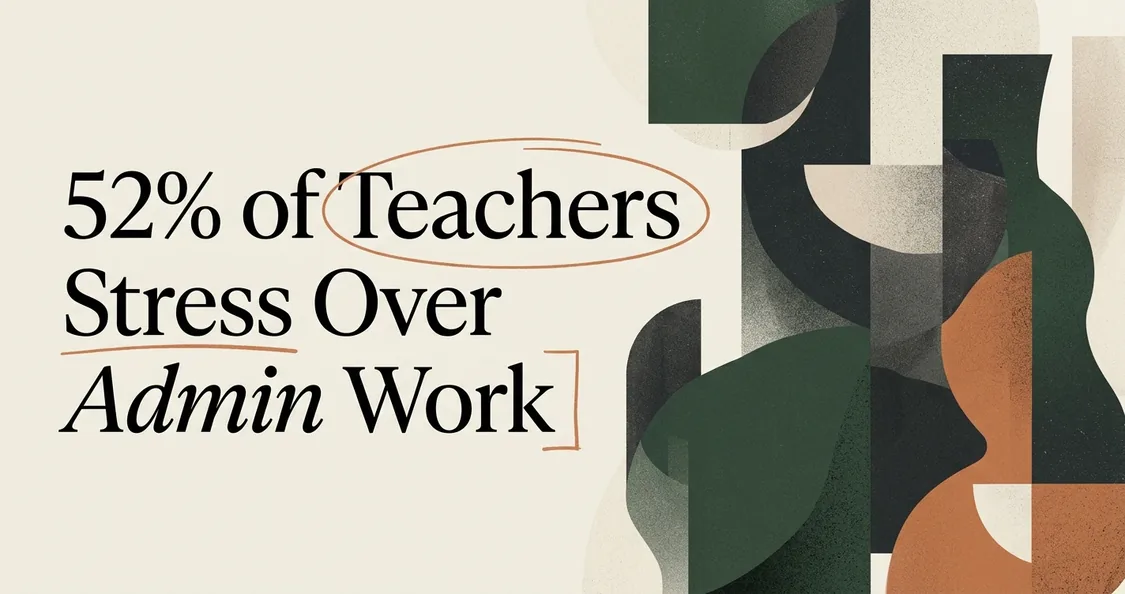
The stakes are real. In TALIS 2024, the OECD's survey of about 280,000 educators across 55 education systems, 52% of teachers named general administrative work as a source of stress, the largest share of any demand it asked about. Software that adds to that load gets abandoned. Software that cuts it gets defended.
This guide walks through school management system development from that angle: the core modules worth building, how to map classroom work before coding, how to serve teachers, administrators and parents at once, how to connect to existing student records, and how to roll the tool out so staff adopt it.
The core modules of a school management system
The four modules that decide adoption are attendance, grading, scheduling and a parent portal. Every other feature is secondary until these feel faster than paper, and each one should take a visible piece of the administrative load off a teacher's week.
- Attendance is the first thing a teacher touches every day. It must open fast, mark a full class in seconds and save immediately. If attendance is slow, nothing else matters.
- Grading needs to match how teachers already weight and record marks. Forcing a new grading scheme is where adoption often breaks.
- Scheduling ties classes, rooms and staff together. Teachers care most about their own timetable and about clashes being caught.
- A parent portal cuts the volume of status emails and calls. When parents can see attendance and grades themselves, teachers field fewer interruptions.
Build these four well before adding messaging, behaviour logs or analytics. A narrow tool that works beats a broad one that frustrates.
Why development starts with classroom workflows
Mapping real workflows first is one of the few levers a school controls before any code is written. Software projects miss the mark often: the Standish Group's CHAOS 2020 data, as summarised by BudgetOverrun, judged about 31% of projects successful, 50% challenged and 19% failed. Challenged projects rarely fail at coding. They fail at understanding the work.
Before any screen is designed, sit with teachers through a normal day. Watch how attendance is actually taken: on a phone while walking the room, or at a desk between classes? See where grades get written first, often on paper, then re-entered later. Note every place a teacher waits, re-types, or asks the office for information.
Turn those observations into a short list of real tasks, then design each screen around one task. A teacher taking attendance should never see a grading menu. This task-first mapping is where custom school software earns its keep, because an off-the-shelf product cannot bend to a workflow it never saw.
One pattern is worth watching for: the feature administrators request most is rarely the feature teachers need most. Administrators want reports. Teachers want fewer clicks. A build that serves only the report request produces a system teachers quietly route around.
Designing for teachers, administrators and parents at once
Build three different front doors into one shared set of data. Teachers, administrators and parents open the same system for different reasons, so each should see a view built for their job. Even among teachers the pressure is uneven: in the same TALIS data, 44% of female teachers reported administrative work as a source of stress, against 35% of male teachers. A one-size interface ignores how differently people use the tool.
- Teachers need speed and focus. Their screens should surface today's classes, attendance and grade entry, with everything else tucked away. Every extra field is friction during a busy period.
- Administrators need oversight and reporting. Enrolment numbers, attendance trends, staff schedules. These heavier screens belong behind their login, not in a teacher's daily path.
- Parents need reassurance and clarity. A simple, read-mostly portal showing attendance, grades and school messages answers their questions without a phone call.
The principle underneath is role-based design: one database, three tailored experiences. When the three views share one source of truth, nobody re-enters anything, and the numbers always agree. It is how our own EMSNow is built: attendance, grades and the timetable post against one student record, and with the Community & Engagement group switched on, the same record feeds the parent portal.
Integrating with existing student records
Connect through an open data standard so records flow automatically instead of being typed twice. Most schools already run a student information system holding enrolment, demographics and historical records. A new system has to read from and write to that source, or teachers end up maintaining two systems and trusting neither.
Education has mature standards for exactly this problem. The Ed-Fi Data Standard, an open specification maintained by the non-profit Ed-Fi Alliance, defines a common language for moving data such as attendance, grades and assessments between school systems. Building to a standard like this lets new modules exchange records with existing platforms rather than locking data in a silo.
Practical integration steps look like this:
- Inventory every system that already holds student data, and who owns it.
- Decide the single source of truth for each field, so there is no ambiguity about which record wins.
- Sync through an API rather than nightly file dumps, so data stays current.
- Validate a full year of historical records in a test environment before going live.
Skipping real integration is the quiet way a custom build dies. If a teacher has to look up a student's history in the old system anyway, the new one is just extra work.
Rolling it out so teachers adopt it
Roll out in phases and train around daily tasks, not features. Adoption often fails on weak onboarding rather than missing functionality, and given how many software projects end up challenged, the launch deserves as much planning as the code. A big-bang launch across every module and every user on day one is the riskiest path.
Start with one module and one group. Attendance for a single grade or department is a strong first step, because it is simple, daily and easy to measure. Let that group use it for a few weeks, fix what annoys them, then expand.
Train on the task, not the tool. A session titled "how to take attendance in thirty seconds" lands better than "system overview". Teachers want to know how their Monday morning changes, not how the admin panel works.
- Recruit a teacher champion in each building who answers quick questions in the corridor.
- Keep the old method available for a short overlap, then set a firm cutover date.
- Measure daily active teachers and task completion time, and share the wins.
- Close the loop on feedback fast, because the first ignored complaint teaches staff that reporting problems is pointless.
When teachers feel attendance take a fraction of the time it used to, the tool sells itself. That time saving, repeated every day, is what turns a rollout into routine use.
Questions schools ask
What are the core modules of a school management system?
Attendance, grading, scheduling and a parent portal. Most schools add student records, messaging and reporting. Start with the modules teachers touch daily, then expand once those are stable and trusted.
How long does school management system development take?
A focused custom build covering those four modules typically spans several months of discovery, development and phased rollout. The timeline depends on how many existing systems you integrate and how much training staff need.
Should we build custom school software or buy a product?
Buy when your processes are standard and a product fits closely. Build when your workflows are unusual, you need tight integration with existing records, or no product matches how your staff actually work.
Why do teachers resist new school software?
Most resistance comes from tools that add steps rather than remove them, poor training, and software designed for administrators instead of the classroom. Mapping real workflows first and training on daily tasks fixes most of it.
How do we know teachers actually use the system?
Track daily active teachers, the time attendance and grade entry take, and the share of records entered in the system rather than on paper. Rising daily use and falling task time are the clearest signs of real adoption.
Start this week with one concrete step: shadow two or three teachers through a full day and write down every place they wait, re-type or chase information. That list is your real specification. Bring it to whoever builds your system, us included: our case studies show systems built to order, and EMSNow is running today if a ready-made fit is enough.