Blog
ERP inventory management: best practices.
Track every unit where it sits, reorder before the shelf is empty, connect stock to sales and purchasing, and report on what to buy and what to clear.
ERP inventory management is the practice of tracking every unit of stock, its location and its value inside one connected system, so sales, purchasing, the warehouse and finance all work from the same live numbers. Done well, it stops you selling items you do not have and buying more of items you already hold too many of.
This guide walks through the practices that make that happen, from real-time tracking to the reports that turn stock data into better buying decisions. The stakes are concrete. In 2023 IHL Group projected that inventory distortion, the combined cost of out-of-stocks and overstocks, would cost retailers $1.77 trillion worldwide that year: $1.2 trillion in sales lost to empty shelves and $562 billion in overstock that ended in heavy discounts or spoilage, as reported by The Food Institute. Not all of that is a software problem, but knowing what you have, where it is and when to reorder is the part an ERP can fix.
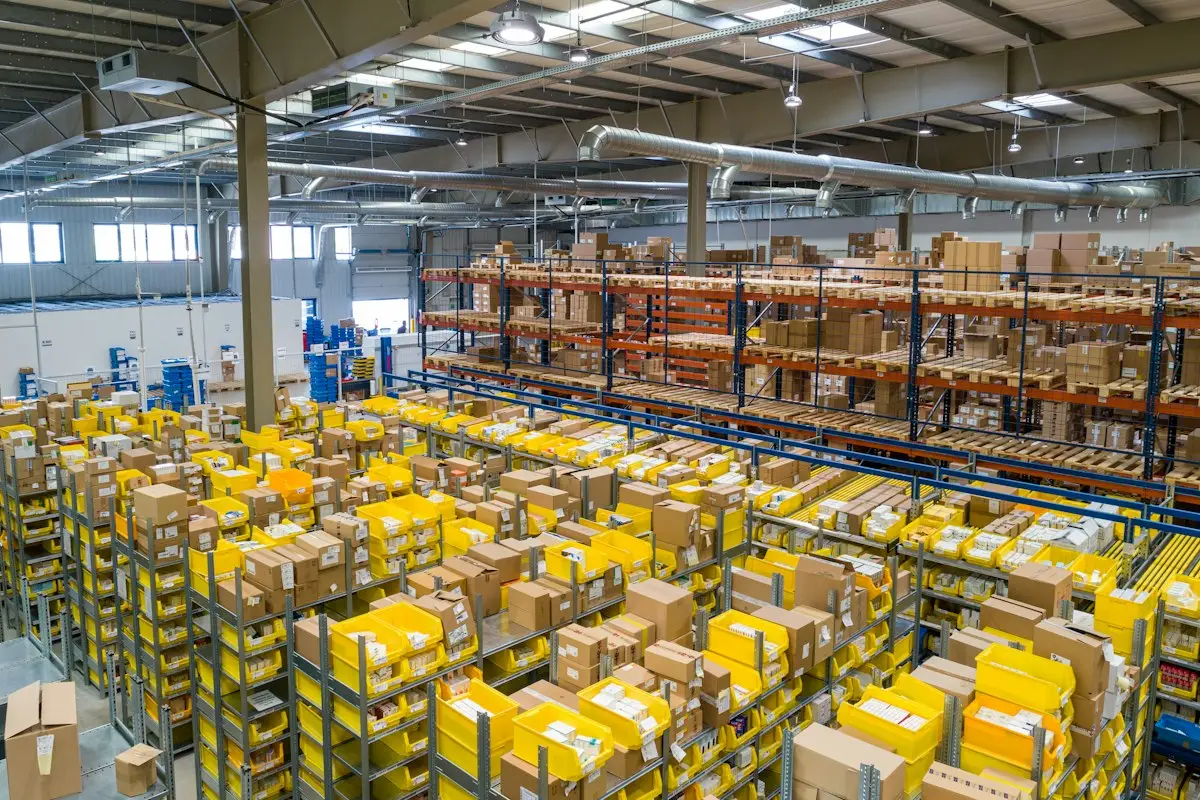
Real-time stock tracking is the foundation
Everything rests on a single stock record that updates the moment anything moves. When a delivery goes out, a receipt is logged or stock transfers between sites, the balance changes everywhere at once. No overnight batch, no spreadsheet someone forgot to update, no two departments arguing over which count is right.
Multiple locations are where this matters most. A business with a main warehouse, a few shops and a returns area needs a separate balance for each, rolled into one company-wide view. That answers two questions at once: how much do we have in total, and exactly where is it? Without it, staff promise stock that sits in the wrong building, and transfers are made blind.
Good tracking also depends on clean data capture at the point of movement. Barcode or QR scanning at receiving, picking and shipping removes the typing errors that quietly erode accuracy. Practices that hold accuracy up:
- Give every item a unique SKU and, where it helps, lot or serial tracking for traceability.
- Record stock by location and, in larger sites, by bin, so pickers find items fast.
- Use cycle counting, counting a small set of items on a rotating schedule, instead of one disruptive annual count.
- Reconcile system quantities against physical counts and investigate the gaps rather than just adjusting them away.
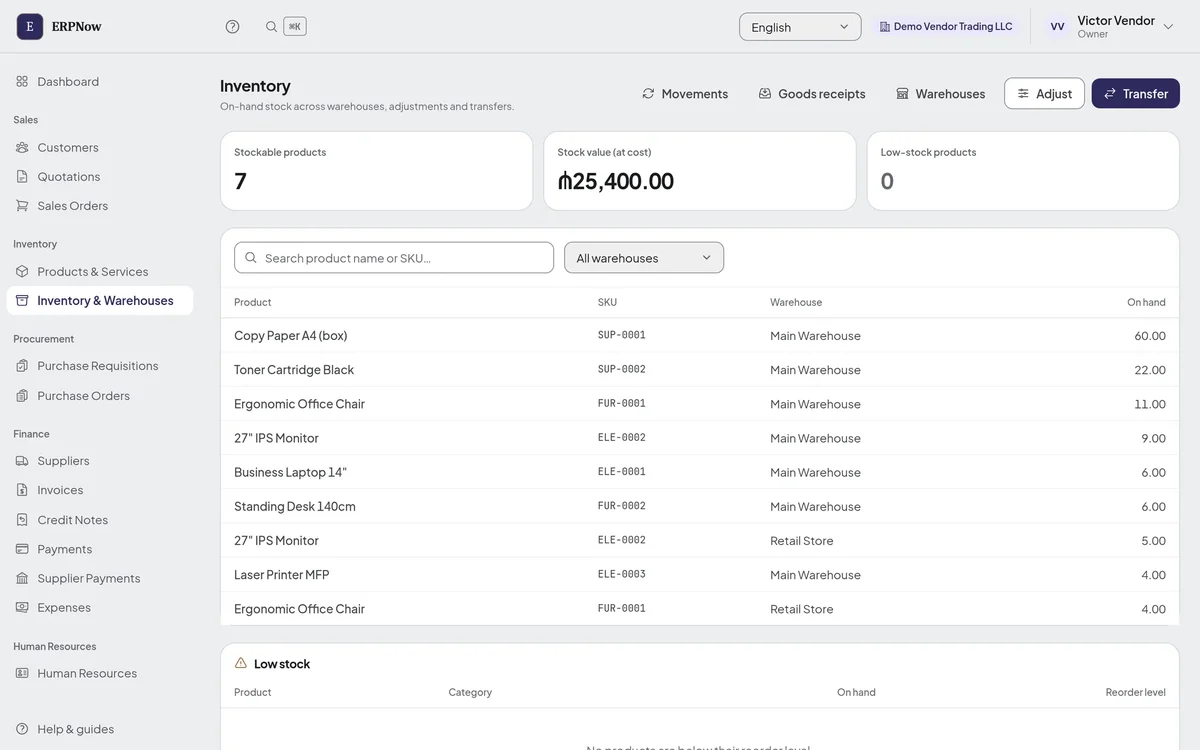
Our own ERPNow keeps one stock record per product per warehouse, valued at cost. Every receipt, delivery, adjustment and transfer is written as a movement with who made it, when and what caused it, and a movement that would take a warehouse below zero is refused rather than recorded. What it does not have yet is worth saying too: it stores a barcode on each product but has no scanning screens, and it tracks stock by warehouse, not by bin, lot or serial number.
Automating reorders and low-stock alerts
Once stock levels are trustworthy, the next job is acting on them without someone watching the numbers all day. This is where reorder points earn their keep. For each item you set a threshold, and when available stock drops to it, the system responds.
The response can scale with how much control you want. At the simplest level the system flags the item to whoever handles purchasing. One step further, it drafts a purchase order with the right supplier, quantity and expected cost, ready for someone to approve. For high-volume, predictable items, some systems place the order themselves within preset limits.
Reorder points should not be static guesses. The useful ones take into account:
- Average daily demand, so fast movers trigger earlier than slow ones.
- Supplier lead time, so the order arrives before you run out rather than after.
- Safety stock, a buffer sized to how much demand and lead time vary.
- Seasonality, so thresholds rise ahead of known busy periods.
In ERPNow, each product has one reorder level for the company as a whole, and any product at or below it appears on the dashboard and in a low-stock list on the inventory page. It does not send alerts or draft purchase orders on its own; a person decides what to order, and with the optional Procurement pack that order can start as a requisition that needs approval.
Linking inventory to sales and purchasing
Inventory stops being a passive count and becomes a signal once it is connected to what sells and what you buy. In a well-integrated system, a confirmed sales order can reserve stock, so two salespeople cannot promise the same unit, and a goods receipt raises the balance the moment the goods land. The warehouse, the sales team and the buyers read one shared picture.
That connection pays off both ways. Sales staff quote realistic availability because they see committed stock, not just the raw count. Buyers see demand as it happens, so they order against real consumption instead of last quarter's assumptions.
It also keeps capital working. Holding stock ties up cash and space, which is why the inventories-to-sales ratio is a standard measure. The US Census Bureau reported that, at the end of August 2026, US manufacturers and traders held inventories worth 1.33 times a month of sales, down from 1.40 a year earlier. Your own ratio, by item and by warehouse, tells you where cash is sitting on shelves.
The practical rule is that stock, sales and purchasing should share one database rather than sync between separate tools, because every sync is a chance for the numbers to drift. ERPNow works that way: a delivery against a sales order takes stock out of the chosen warehouse, and a goods receipt from a supplier puts it in, both against the same ledger. Stock is not reserved when an order is confirmed; it leaves when it is delivered, which is the gap to know about if your team sells from stock it has not shipped yet.
Reducing shrinkage and dead stock
Two different problems quietly drain inventory value, and each needs a different response.
Shrinkage is stock you paid for but can no longer sell: theft, damage, miscounts or spoilage. You cannot fix what you cannot see, so the first defence is tight tracking and frequent cycle counts that surface losses early, while the cause can still be found. When every movement is logged, an unexplained gap stands out instead of hiding inside one big annual count.
Dead stock is the opposite trap: items that sit unsold until they lose value. The scale is easy to underestimate. A benchmark compiled by eightx, a consultancy for consumer brands, puts dead or non-moving stock at 20 to 30% of inventory value in fashion apparel and sporting goods, against 3 to 7% in beauty and 5 to 15% in consumer packaged goods. Those are ranges drawn from other published estimates rather than a survey of its own, but the spread shows why the age of stock matters.
A system fights dead stock by making age visible. Stock-aging reports group inventory by how long it has sat, so slow movers are flagged while there is still time to discount, bundle or return them. Linking aging to purchasing closes the loop: items that keep aging out should have their reorder quantities cut, so you stop refilling what does not sell.
Reporting that drives better decisions
Recording inventory is the minimum. The payoff comes from reports that change what you do next, each answering a specific question rather than just listing counts. The ones worth building first:
- Inventory turnover: how many times you sell and replace stock in a period. Low turnover points to overbuying or slow lines; very high turnover can warn of stockout risk.
- Stock accuracy: system quantities against physical counts. A falling trend is an early warning that a process is breaking before it causes a missed shipment.
- Aging and dead stock: inventory grouped by how long it has sat, feeding the markdown and reorder decisions above.
- Reorder performance: how often items hit their reorder point late, which tells you whether thresholds and lead times are set right.
The best reporting is not a monthly PDF nobody opens. It is a live view the right people see daily, with the few numbers that drive action where they cannot be ignored. A buyer who sees aging stock every morning behaves differently from one who sees it once a quarter.
ERPNow's reports today cover inventory valuation (quantity on hand and value at cost by product category) alongside sales, purchases and receivables, and its inventory page shows every product's quantity in every warehouse, with the full movement history behind it. Turnover, aging and count-accuracy reports are not built in. When a business needs something like that, some requests are small enough that we simply add them, and larger ones become a custom module built on top of the same system, with the same updates and permissions as everything else.
Questions about ERP inventory management
What is ERP inventory management?
The part of an ERP system that tracks stock quantities, movements and values in one place, connecting the warehouse to sales, purchasing and finance so every team works from the same live numbers.
How does an ERP reduce out-of-stocks?
It holds a reorder point for each item and flags anything that falls to it. Depending on the system, that flag is a list someone reviews, an alert, or a draft purchase order, so replenishment starts before the shelf runs empty.
Can an ERP track inventory across multiple warehouses?
Yes. A good one holds a separate balance for each location and rolls them into one company-wide view, so you can see total availability and move stock between sites without losing accuracy. ERPNow does this, with transfers recorded as a movement out of one warehouse and into the other.
What inventory reports should an ERP produce?
The most useful cover stock value, turnover, accuracy against physical counts, aging and dead stock, and reorder performance. Together they show what to buy, what to discount and where accuracy is slipping.
Pick the single biggest leak first. If staff keep promising stock you do not have, start with real-time tracking per location. If cash keeps vanishing into overstock, start with reorder points and aging. Map how your business actually moves goods, then shape the system around that rather than around a template. Tell us how your stock moves and we will show you what ERPNow covers today and what would need building. For choosing the rest of the system, see ERP modules explained.